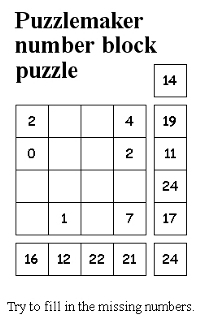
A friend showed me the Puzzlemaker and now I’m using its online generators from time to time to relax(!).
But it’s also fun to make birthday cards from them for friends who like puzzling ;-)
Links:
Puzzlemaker – search for ‘Puzzlemaker online’
…compilation of tutorials
A friend showed me the Puzzlemaker and now I’m using its online generators from time to time to relax(!).
But it’s also fun to make birthday cards from them for friends who like puzzling ;-)
Links:
Puzzlemaker – search for ‘Puzzlemaker online’
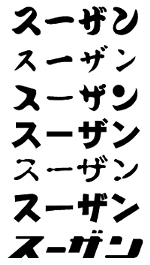
I find the Japanese name translator really great, I simply let output the name Susann in all possible fonts ;-)
I’m not yet sure what to do with them but nothing could be easier than to turn them into filet crochet/cross stitch embroidery charts and then we’re really going to get started with knitting, crocheting, embroidering, knotting, stencelling etc ;-))
Or I print them as signature next time on a greeting card.
Or I cut a stamp from it.
Do you have more ideas?
Links:
Your name in Japanese
Here at unikatissima:
What Can You Do With Filet Crochet/Cross Stitch Embroidery Charts?
Letter stencils
Eraser Stamps
DIY Photo Silhouette T-Shirt
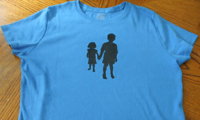
I find the idea to make a photo of your children, to make a silhouette stencil from the photo and then to print it on a t-shirt great – but a too narrow approach ;-):
Why not making a t-shirt with your own name in Japanese?
Or using the silhouette of a well known building (i.e. the Eiffelturm)?
And why only on a t-shirt, why not on a linen bag, a greeting card or quite large on the wall?
And why as a stencil, why not simply as a self-cut stamp?
Or as fabric appliqué?
Well, I really must think about what else can be done this way ;-)
If you have a good idea I’d be happy if you commented about (if not, I’d be happy about a comment, too ;-)).
Links:
Make a Customized Silhouette T-Shirt Of Your Kids
Here at unikatissima:
Eraser Stamps
Letter stencils
Stamped Appliqués
Your name in Japanese
Note: I wrote an entry about your name in Japanese but I rescheduled it thoughtlessly to another date because of the World Wide Knit in Public Day 2009 (WWKiP Day).
I’m sorry, it will still take some days (I don’t dare to reschedule everything again ;-().
Now I can offer you the right link to your name in Japanese ;-)
But there you can see it: all hand-made ;-))
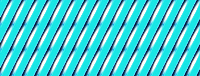
Some time ago I presented the Tartan Generator, now comes ‘his brother’, the stripe generator.
There you can let easily and fast let make striped backgrounds.
I will surely need it, i.e. when creating a birthday card.
Links:
Stripe Generator
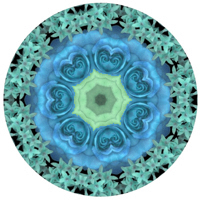
I found another wonderful toy: the kaleidoscope for photos.
I made the picture with the given flower photo (I used the pink ‘umbrella’ at the left top) and post-worked it a little.
I like it!
You can make beautiful greeting cards or the like with this.
Links:
Make Your Own Kaleidoscope!
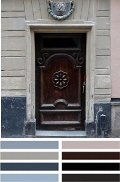
A good many times I need colour combinations for all sorts of things and it is diffcult for me to select colours so, that I like them.
kris’s color stripes is a great help because she takes photos and ‘extracts’ a colour palette from them.
If you’re not interested in the photos to the colour combinations you can go directly to kris’s other blog where you find ‘only’ the colour combinations and where you can let search all colour combinations for one colour (e.g. orange).
Links:
kris’s color stripes (color-stripes.blogspot.com) – photos and their colour combinations
kris’s color stripes (kris-color-dots.blogspot.com) – ‘only’ the colour combinations
all colour combinations with orange

Today there’s no tutorial, but I liked the aerial image greetings so much that I wanted to share.
Click on the picture to enlarge and to see better what this is about.
But the picture is only the result, the whole message is revealed letter by letter.
Have fun sending love to good friends!
Links:
geoGreeting – How geeks show they care
unikatissima at geoGreeting

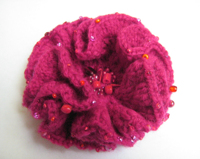
Recently I presented the beaded hyperbolic planes, now I found a TED Talk to this that inspired me to eventually crochet a hyperbolic plane.
I wanted to crochet this in fact for a long time, ever since I got this beautiful pin I still adore.
Thank you again!

Links:
TED Talk: Margaret Wertheim: The beautiful math that links coral, crochet and hyperbolic geometry
At The Institute For Figuring:
Crocheted Hyperbolic Models and Coral Reef Taxonomy Gallery at The Institute For Figuring
– a wonderful gallery
Hyperbolic Crochet Coral Reef
– ditto ;-)
Beaded Hyperbolics
– still ditto ;-)
Crochet instruction for a hyperbolic plane (Interweave Knits article Taking Crochet to a Higher Plane)
At unikatissima: Beaded Hyperbolic Planes

I wrote another online pattern generator that you can use in a manner of speaking for ‘nearly everything’ ;-), but this time not for maze patterns, but for patterns that are made with a so called cellular automaton.
To tell you the truth, I haven’t as yet understood fully what a cellular automaton is ;-)
Everything began when I saw this knitted Cellular Automata Tea Cozy.
I found the pattern quite funny, so I made a little research and when I found the many different patterns that such a cellular automaton can generate I was dead set on writing an online pattern generator for such patterns.
Ta-DAA! And here it is.
A suggestion: If you don’t like a (random) pattern, simply click the ‘random’ or the ‘random random’ button again, some of the patterns differ considerably from each other!
And if you don’t know exactly what to do with the diagrams simply read again my entry ‘What Can You Do With Filet Crochet/Cross Stitch Embroidery Charts?’ ;-)
I wish you a lot of fun with it!
By the way: On the photo you see my first printed patterns, yarn in two colours, some beads, crochet and knitting needles.
I simply can’t settle for a project to begin ;-))
Links:
unikatissima’s Pattern Generator (Cellular Automaton)
unikatissima’s Maze Pattern Generator
Cellular Automata Tea Cozy
via: k2g2 – Mathematical Craft Projects
Here at unikatissima:
What Can You Do With Filet Crochet/Cross Stitch Embroidery Charts?
Your work becomes really personal if you can use your own design.
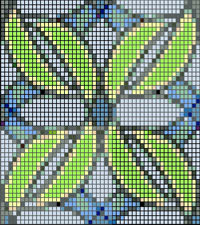
The Palette Editor gives you the opportunity to upload your own picture and enter certain bead producers and not only to get a bead template back, but also to get the appropriate bead product numbers (or the similar).
 Because I’m using mostly no name beads I can’t ‘savour’ it to the full, but the picture alone is already a great help.
For the picture at the top I simply used a tile that I had made with Kali.
Links:
PerlerPal Palette Editor
Here at unikatissima: Kali